UK: +44 2038074555 info@atamgo.com
Why Professional IT Certifications Are Essential for Career Growth

Why Professional IT Certifications Are Essential for Career Growth

Professional IT Certifications

Introduction

The technology industry evolves faster than almost any other profession. New cloud platforms, cybersecurity threats, networking technologies, and software development practices continue to reshape the skills employers expect from IT professionals. While academic degrees remain valuable, many organizations now look for candidates who also possess industry-recognized certifications that demonstrate practical knowledge and a commitment to continuous learning.

Professional IT certifications validate technical skills in specific areas such as cloud computing, networking, cybersecurity, project management, data engineering, and system administration. These credentials help employers identify qualified candidates who understand current technologies and can contribute effectively from the beginning of their employment.

Whether you are just starting your career or looking to advance into senior technical roles, earning professional certifications can strengthen your resume, improve your confidence, and create new opportunities in today’s competitive job market.

Why IT Certifications Matter

Technology changes rapidly, and professionals must continually update their knowledge to remain competitive.

IT certifications provide several important advantages, including:

  • Demonstrating technical competence
  • Increasing professional credibility
  • Improving employment opportunities
  • Supporting career advancement
  • Building confidence in practical skills
  • Encouraging continuous learning

Many employers use certifications as one factor when evaluating candidates for technical positions.

Benefits of Professional Certifications

Increased Employment Opportunities

Organizations often receive hundreds of applications for a single IT position.

Candidates with recognized certifications may stand out because certifications demonstrate dedication to professional development and verified technical knowledge.

Career Advancement

Certifications can help experienced professionals qualify for promotions or specialized positions.

Many organizations encourage employees to pursue certifications as part of their career development plans.

Better Technical Knowledge

Preparing for certification exams requires structured learning.

Candidates study industry best practices, current technologies, and real-world implementation techniques that improve everyday job performance.

Greater Professional Confidence

Learning through certification preparation often improves confidence when solving technical problems, participating in projects, or interviewing for new positions.

Popular IT Certification Categories

The technology industry offers certifications covering many different specialties.

Cloud Computing

Cloud certifications focus on designing, deploying, and managing cloud infrastructure.

Popular topics include:

  • Virtual machines
  • Cloud storage
  • Identity management
  • Security
  • Networking
  • Monitoring

Cloud expertise remains highly valuable as businesses continue migrating services to cloud platforms.

Cybersecurity

Cybersecurity certifications emphasize protecting systems and sensitive information.

Common subjects include:

  • Threat detection
  • Risk management
  • Identity protection
  • Security monitoring
  • Incident response
  • Compliance

Cybersecurity professionals remain in high demand worldwide.

Networking

Networking certifications validate knowledge of enterprise communication systems.

Candidates learn about:

  • Routing
  • Switching
  • IP addressing
  • Wireless networking
  • Network security
  • Troubleshooting

Networking remains one of the foundational disciplines within information technology.

Project Management

Project management certifications focus on planning, organizing, and delivering successful projects.

Professionals learn:

  • Leadership
  • Risk management
  • Budget planning
  • Scheduling
  • Communication
  • Stakeholder management

These skills are valuable across nearly every industry.

Building an Effective Certification Study Plan

A structured learning strategy significantly improves preparation.

Candidates should:

  • Review official exam objectives.
  • Create a weekly study schedule.
  • Practice technical skills regularly.
  • Complete hands-on laboratory exercises.
  • Review difficult concepts frequently.
  • Take practice assessments.
  • Monitor progress over time.

Consistent study habits generally produce better long-term results than intensive short-term preparation.

Importance of Practical Experience

Although theoretical knowledge is valuable, employers also expect practical skills.

Candidates should gain experience through:

  • Personal laboratory environments
  • Cloud practice accounts
  • Virtual machines
  • Simulated networking labs
  • Practice projects
  • Technical troubleshooting

Practical experience reinforces learning and improves confidence during certification exams.

Common Mistakes During Certification Preparation

Many candidates reduce their chances of success because of avoidable mistakes.

Memorizing Instead of Understanding

Modern certification exams evaluate practical decision-making rather than simple memorization.

Understanding concepts helps candidates solve scenario-based questions more effectively.

Ignoring Hands-On Practice

Reading study materials alone is rarely enough.

Working directly with technologies strengthens practical understanding.

Inconsistent Study Habits

Studying occasionally often leads to forgotten material.

Regular review sessions improve long-term retention.

Skipping Practice Exams

Practice assessments help candidates identify weaknesses and become comfortable with exam formats and time management.

Professionals looking for additional certification resources can visit home page to explore educational materials, certification information, and study guidance for various IT career paths.

Choosing the Right Certification

Selecting the right certification depends on your career goals.

Consider factors such as:

  • Current experience
  • Desired job role
  • Industry demand
  • Technical interests
  • Long-term career plans

Choosing certifications aligned with your professional objectives increases their long-term value.

Continuous Learning in Technology

Technology professionals should view certifications as part of an ongoing learning journey rather than a one-time achievement.

Continuing education helps professionals:

  • Stay current with new technologies
  • Improve technical expertise
  • Adapt to changing business needs
  • Strengthen problem-solving skills
  • Increase career flexibility

Lifelong learning remains one of the most valuable habits in the IT industry.

Career Opportunities After Certification

Professional certifications can support careers such as:

  • Network Administrator
  • Cloud Engineer
  • Systems Administrator
  • Cybersecurity Analyst
  • Data Engineer
  • DevOps Engineer
  • IT Consultant
  • Project Manager

Many organizations actively seek professionals who combine certifications with practical experience.

Frequently Asked Questions (FAQs)

Why are IT certifications important?

IT certifications validate technical knowledge, demonstrate professional commitment, and help candidates compete for technical positions in today’s job market.

Are certifications better than experience?

Both are valuable. Practical experience and recognized certifications complement each other and strengthen a professional’s qualifications.

How should I prepare for certification exams?

Create a structured study plan, review official exam objectives, practice technical skills, complete hands-on labs, and regularly take practice assessments.

Do certifications expire?

Many certifications require periodic renewal or continuing education to ensure professionals remain current with evolving technologies.

Can beginners pursue IT certifications?

Yes. Many entry-level certifications are specifically designed for individuals beginning careers in networking, cloud computing, cybersecurity, and technical support.

Are certifications useful for career growth?

Yes. Certifications can improve credibility, increase job opportunities, support promotions, and demonstrate expertise in specialized technology areas.

Conclusion

Professional IT certifications have become an important component of career development in today’s technology-driven world. They provide structured learning, validate practical skills, and demonstrate a commitment to continuous improvement. Whether your interests lie in cloud computing, networking, cybersecurity, project management, or systems administration, earning recognized certifications can strengthen your professional profile and increase your competitiveness in the job market.

By combining certification preparation with hands-on experience, consistent study, and real-world problem-solving, technology professionals can build a strong foundation for long-term career success while remaining prepared for the rapidly changing demands of the global IT industry.
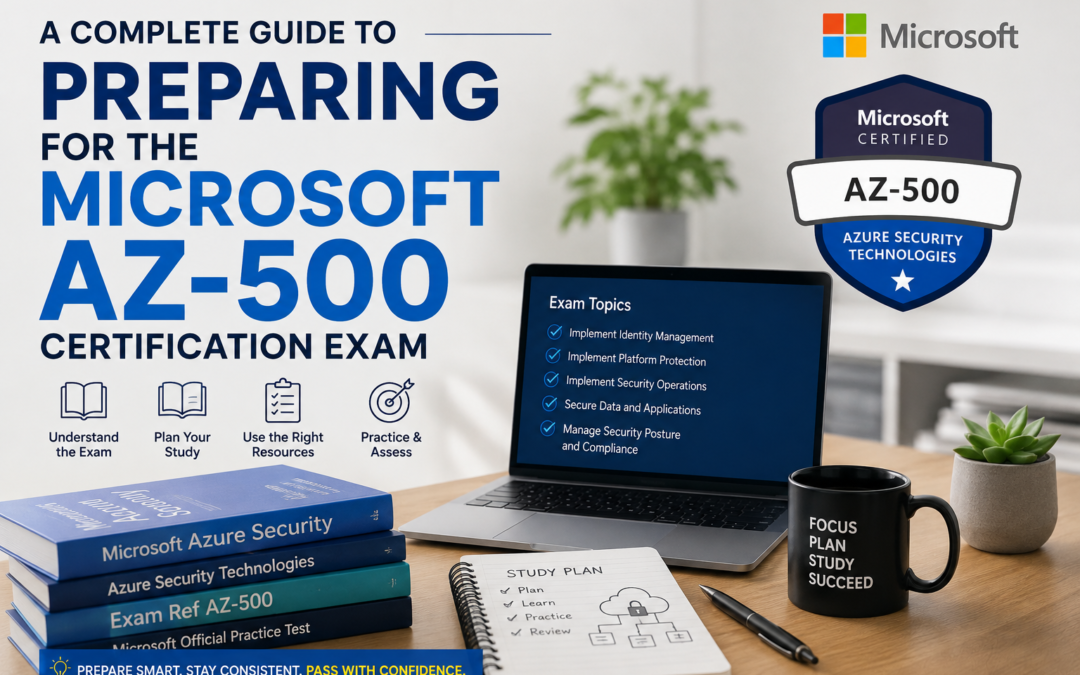

Microsoft AZ-500 Certification Exam: Complete Guide

Microsoft AZ-500 Certification Exam: Complete Guide

Microsoft AZ-500 Certification Exam

Introduction

As organizations increasingly move their infrastructure, applications, and sensitive data to the cloud, cybersecurity has become one of the highest priorities for businesses worldwide. Cloud security professionals are responsible for protecting digital assets, managing identities, monitoring threats, and ensuring compliance with industry standards. Microsoft Azure offers a comprehensive security platform that helps organizations secure their cloud environments, making skilled Azure security professionals highly valuable in today’s job market.

The Microsoft AZ-500 certification, officially known as Microsoft Azure Security Technologies, is designed for IT professionals who want to validate their expertise in implementing security controls, protecting cloud workloads, managing identity and access, and responding to security threats within Microsoft Azure.

Whether you are an experienced cloud administrator or planning to specialize in cybersecurity, the AZ-500 certification can strengthen your technical skills and improve your career opportunities. This guide explains the certification objectives, study strategies, practical skills, and benefits of becoming Microsoft AZ-500 certified.

What Is the Microsoft AZ-500 Certification?

The AZ-500 certification validates the knowledge required to secure Microsoft Azure environments and implement modern cloud security practices.

Professionals who earn this certification are expected to perform tasks such as:

  • Managing identity and access
  • Implementing platform protection
  • Securing applications
  • Protecting data
  • Managing security operations
  • Monitoring Azure resources
  • Responding to security incidents

The certification focuses on practical security administration within enterprise Azure environments.

Why Earn the AZ-500 Certification?

Cloud security continues to be one of the fastest-growing areas in information technology.

Some key benefits of earning the AZ-500 certification include:

  • Increased professional credibility
  • Greater cybersecurity knowledge
  • Improved cloud security skills
  • Better career opportunities
  • Recognition from employers
  • Preparation for advanced Azure security roles

Organizations across finance, healthcare, education, retail, and government sectors actively seek professionals who understand cloud security best practices.

Core Skills Measured in the AZ-500 Exam

Understanding the official exam objectives helps candidates prepare more effectively.

Manage Identity and Access

Identity management forms the foundation of cloud security.

Candidates should understand:

  • Microsoft Entra ID
  • Multi-factor authentication
  • Role-based access control
  • Privileged Identity Management
  • Conditional Access
  • Identity governance

Proper identity management significantly reduces security risks.

Implement Platform Protection

Azure administrators must secure cloud infrastructure against unauthorized access.

Topics include:

  • Network security groups
  • Azure Firewall
  • Microsoft Defender for Cloud
  • Azure Bastion
  • Virtual network security
  • DDoS protection

Strong platform protection helps organizations defend against cyber threats.

Secure Data and Applications

Protecting sensitive information is one of the primary responsibilities of Azure security professionals.

Candidates should study:

  • Azure Key Vault
  • Data encryption
  • Secure application deployment
  • Certificate management
  • Secret management
  • Storage security

These services help maintain confidentiality and integrity across cloud environments.

Manage Security Operations

Continuous monitoring is essential for detecting suspicious activity.

Candidates should understand:

  • Microsoft Sentinel
  • Azure Monitor
  • Log Analytics
  • Security alerts
  • Threat detection
  • Incident response

Monitoring tools help security teams respond quickly to emerging threats.

Create an Effective Study Plan

A structured study schedule improves learning efficiency and exam readiness.

Candidates should:

  • Review Microsoft’s official exam objectives.
  • Study Azure security documentation.
  • Practice using Azure security services.
  • Complete hands-on laboratory exercises.
  • Review real-world security scenarios.
  • Take practice assessments regularly.
  • Revise weak topics each week.

Consistent preparation is generally more effective than last-minute studying.

Gain Practical Azure Experience

Hands-on experience plays a vital role in passing the AZ-500 exam.

Candidates should spend time working with:

  • Microsoft Entra ID
  • Azure Key Vault
  • Azure Firewall
  • Microsoft Defender for Cloud
  • Azure Monitor
  • Microsoft Sentinel
  • Azure Policy

Practical experience helps candidates understand how Azure security services work together in real business environments.

Understand Security Best Practices

Beyond learning Azure tools, candidates should understand general cybersecurity principles.

Important concepts include:

  • Least privilege access
  • Zero Trust architecture
  • Defense in depth
  • Data classification
  • Risk management
  • Compliance frameworks

These principles help create secure and resilient cloud environments.

Candidates preparing for the Microsoft Azure Security Technologies certification can click here for more. Additional study resources, learning materials, and certification guidance can help reinforce important security concepts and improve overall exam readiness.

Common Preparation Mistakes

Many candidates reduce their chances of success by overlooking important preparation strategies.

Memorizing Without Understanding

The AZ-500 exam emphasizes practical implementation rather than memorizing definitions.

Candidates should understand how Azure security services solve real business challenges.

Ignoring Hands-On Practice

Practical Azure experience is essential.

Building secure environments helps reinforce theoretical knowledge.

Overlooking Identity Management

Identity-related topics represent a significant portion of the certification objectives.

Candidates should fully understand authentication, authorization, and access control.

Skipping Monitoring Concepts

Monitoring, logging, and incident response are critical responsibilities for Azure security professionals.

Understanding these services improves both exam performance and workplace readiness.

Career Opportunities After AZ-500

The AZ-500 certification supports a variety of cloud security careers.

Common job roles include:

  • Azure Security Engineer
  • Cloud Security Engineer
  • Cybersecurity Analyst
  • Security Consultant
  • Cloud Administrator
  • Security Operations Analyst
  • Infrastructure Security Engineer

As cloud adoption continues to expand globally, professionals with Azure security expertise remain in high demand.

Tips for Exam Day Success

Before taking the exam, candidates should:

  • Read every question carefully.
  • Focus on security requirements.
  • Consider business objectives.
  • Eliminate incorrect answers.
  • Apply practical Azure knowledge.
  • Manage time effectively.

Scenario-based questions often require selecting the most appropriate security solution rather than simply identifying a product feature.

Frequently Asked Questions (FAQs)

What is the AZ-500 certification?

The AZ-500 certification validates the skills required to secure Microsoft Azure environments by implementing identity management, platform protection, data security, and security operations.

Who should take the AZ-500 exam?

The certification is suitable for Azure administrators, cloud engineers, cybersecurity professionals, security analysts, and IT professionals responsible for cloud security.

Is the AZ-500 exam difficult?

The exam is considered intermediate to advanced because it combines Azure security technologies with practical implementation scenarios.

How should I prepare for AZ-500?

Candidates should study Microsoft’s official learning resources, practice using Azure security services, complete hands-on labs, and regularly review scenario-based questions.

Is practical Azure experience important?

Yes. Practical experience greatly improves understanding of Azure security services and prepares candidates for real-world security responsibilities.

What career opportunities are available after AZ-500?

Certified professionals often pursue careers as Azure Security Engineers, Cloud Security Engineers, Security Consultants, Cybersecurity Analysts, and Security Operations Specialists.

Conclusion

The Microsoft AZ-500 certification is an excellent credential for professionals seeking to build expertise in cloud security. It demonstrates the ability to protect Azure environments, manage identities, secure applications and data, monitor threats, and implement modern cybersecurity best practices.

Success in the AZ-500 exam requires a balanced approach that combines structured study, hands-on Azure experience, and a thorough understanding of security principles. By consistently practicing real-world security scenarios and mastering Azure security services, candidates can confidently prepare for certification while positioning themselves for rewarding careers in the rapidly growing field of cloud cybersecurity.

How Remote Transport Fleets Maintain Communication in Cellular Dead Zones

How Remote Transport Fleets Maintain Communication in Cellular Dead Zones

Remote Transport

Modern transport operations run on a continuous, uninterrupted stream of data. From real-time route optimisation to automated dispatching, connectivity is the absolute lifeblood of contemporary logistics. Customers and supply chain managers expect pinpoint accuracy regarding freight locations, driven by the rapid evolution of e-commerce workflows. However, the moment a heavy vehicle crosses the city limits and heads into regional Australia, this robust digital safety net can vanish without warning. 

The Vulnerability of Cloud-Based Logistics 

As detailed in a comprehensive freight tracking software comparison, modern platforms utilise real-time GPS tracking, application programming interfaces, and artificial intelligence to streamline supply chain efficiency. These tools are incredibly powerful in urban environments where mobile networks are strong. They provide businesses with the oversight needed to manage vast fleets efficiently. 

Yet, this oversight has geographical limits. While major telecommunications networks reach over 98 percent of the populated areas in Australia, their actual footprint only covers approximately 1.7 million square kilometres of the nation’s landmass. This leaves roughly 6 million square kilometres entirely without reliable cellular connectivity. When fleets cross into these regional mobile black spots, the software cannot update, leaving dispatchers blind unless the driver has an alternative method to communicate. 

Bridging the Connectivity Gap Safely 

To guarantee driver safety and operational resilience, transport companies must source premium, commercial-grade UHF equipment from trusted industry suppliers such as CB Radio Wholesalers before dispatching trucks into remote regions. Equipping vehicles with high-quality hardware ensures drivers always have a reliable voice on the airwaves when their digital tracking systems drop offline. This hybrid approach to communication is the only way to safeguard a remote workforce effectively. 

Relying exclusively on mobile-dependent software exposes transport operators to severe risks. Under the National Heavy Vehicle Regulator guidelines, logistics companies must maintain a comprehensive Safety Management System that accounts for emergency response procedures in off-grid locations. If a driver becomes stranded due to a mechanical failure in a cellular dead zone without an analogue communication lifeline, operators can face serious compliance breaches under Chain of Responsibility laws. 

Australia’s Ongoing Infrastructure Challenge 

The lack of outback connectivity is a well-documented issue that continues to impact the freight industry. Official documentation regarding the Mobile Black Spot Program confirms that despite activating over 1,200 base stations, massive infrastructure gaps are still a serious reality for remote transport corridors. Major routes, including extensive stretches of the Barrier Highway and the Snowy Mountains Highway, continue to experience dangerous communication dropouts. 

The federal government has made significant investments to address these blind spots across regional and rural areas. However, the sheer scale of the continent makes total coverage an ongoing struggle. This geographical hurdle validates the absolute necessity of analogue radio hardware for heavy vehicle drivers navigating vulnerable zones. 

Essential Hardware Protocols for Off-Grid Routes 

When cellular networks fail, drivers depend on the Citizen Band Radio Stations Class Licence governed by the Australian Communications and Media Authority. This regulation allows the transport sector to utilise the 476 to 477 MHz UHF band freely. To use this technology safely and legally, fleets must follow strict operational protocols: 

  • Dedicated Highway Communication: Australian heavy vehicle operators universally rely on UHF Channel 40 as the designated highway channel. Drivers use this specific frequency to broadcast real-time hazard alerts, share road conditions, and issue wide-load warnings to surrounding traffic.
  • Protected Emergency Channels: Channels 5 and 35 are strictly reserved for emergency situations. This critical mandate ensures that isolated drivers have a legally protected, uncrowded frequency to call for help during off-grid crises.
  • Regulated Output Power: Fleet hardware must safely meet the maximum 5-watt legal output power permitted for mobile transceivers in Australia. This limitation ensures reliable transmission ranges without causing widespread interference across the network.
  • Telemetry Restrictions: For logistics fleets experimenting with off-grid data, regulations strictly limit telemetry and telecommand transmissions to Channels 22 and 23. Voice communication is explicitly barred on these specific frequencies to keep data streams clear. 

The Future of Fleet Communication 

True digital transformation in the remote transport sector requires a pragmatic, dual-layered approach. Advanced cloud platforms and analytics software deliver unmatched visibility and efficiency within urban centres. However, traditional radio frequency hardware remains the ultimate, non-negotiable safety net in the vast Australian outback. By maintaining both robust software tracking systems and fully compliant UHF hardware, transport operators can navigate the most isolated regions of the country with complete confidence.

The Cloud-Native Soundtrack: Architectural Integration of Generative Audio in Modern Web Platforms

The Cloud-Native Soundtrack: Architectural Integration of Generative Audio in Modern Web Platforms

Cloud-Native Soundtrack

The architecture of modern web platforms and enterprise digital services has reached a structural inflection point. For the past decade, product engineering teams and digital experience designers focused their optimization efforts almost exclusively on visual interfaces. This visual-centric development model drove immense breakthroughs in rapid graphic rendering engines, fluid CSS animations, and reactive layout frameworks. However, this hyper-focus on visual engagement has resulted in an industry-wide challenge: a high-friction environment dominated by severe visual overload. In a saturated digital marketplace, catching and holding a user’s attention requires moving beyond the visual layer to build a comprehensive, multi-sensory user experience.

Consequently, the core infrastructure of modern web products is expanding into the auditory plane. Audio elements—once treated as a static, secondary asset compiled at the end of a product cycle—are now recognized as a critical component for driving user retention, enhancing interactive media, and establishing authentic brand identity. Yet, the traditional workflows associated with sound production are notoriously slow, expensive, and structurally rigid. Sourcing custom musical scoring or high-quality vocal tracking traditionally required extensive studio resources, manual audio engineering, and navigating highly complex copyright frameworks.

The development of direct raw waveform synthesis completely disrupts this legacy operational model. The integration of advanced ecosystems like Tad AI introduces an agile, highly flexible software layer into the sound design pipeline, allowing for the programmatic generation of studio-grade tracks from simple textual strings and descriptive syntax. For technology blogs, online service providers, and digital product managers tracking these technological shifts, understanding the underlying neural architecture of modern AI music systems is essential to mastering the future of cross-platform media distribution.

1. The Waveform Layer: Acoustic Integrity and the Mureka V9 Engine

When an online service or digital application integrates audio components—whether it is an ambient background track for a software portal, an educational course narration, or a marketing campaign score—the technical quality of that asset directly influences user perception. Low-bitrate compression, artificial instrument frequencies, and unexpected digital audio clipping immediately signal a lack of brand quality, causing users to abandon the application or content feed. Early automation frameworks in sound generation frequently suffered from these technical issues because they operated on symbolic processing models, generating digital MIDI sequences that were later routed through basic virtual instruments.

The modern paradigm avoids this multi-step abstraction by executing direct raw waveform synthesis. At the technological core of the platform is the proprietary Mureka V9 model, which represents the primary foundational layer of the system’s output. This advanced neural engine is trained to predict, shape, and synthesize complex acoustic pressure waves directly within the network’s latent space, processing rhythm, instrumentation, harmony, and vocal engineering as a single, mathematically synchronized output file.

By utilizing the Mureka V9 model as its core structural foundation, the platform completely eliminates the artificial, synthetic noise common in early-stage generative tools. The output retains exceptional organic texture: low-frequency components like sub-bass lines and 808s maintain punchy, undistorted clarity; mid-range acoustic instruments retain warmth and presence; and high-frequency percussions remain open, crisp, and clean.

Most importantly, the model excels at embedding human-like vocal performances directly into the mix with pristine spatial imaging. This flawless acoustic foundation means that the final audio file requires no complex external mixing or mastering workflows. It delivers a polished, radio-ready finish designed to match the technical standards of traditional commercial recording facilities without requiring an expensive engineering setup.

2. Low-Barrier Workflows: The Automated Smart Mode Interface

In an agile software development sprint or a fast-paced media agency, content velocity is a critical operational metric. Creative teams rarely have the luxury of spending hours configuring intricate synthesizers, balancing multi-track channels, or setting up complex digital audio workstations. They require an automated, low-barrier pipeline that can convert an editorial brief or an abstract product concept into a completed audio asset in a matter of minutes.

The platform addresses this need for high-speed delivery through its Smart Mode framework, an interface explicitly engineered to hide massive underlying computational complexities behind an intuitive, streamlined user interface. This mode serves as an automated creative companion, moving the user smoothly from an initial concept to a finished track through several parallel operational phases:

  • Visual-to-Audio Mapping: Creators can upload custom images or allow the system to automatically generate unique, contextually relevant cover art. The AI analyzes the visual tone, color palettes, and implied atmosphere to establish an initial aesthetic baseline for the audio engine.
  • Deep Reasoning Lyric Models: To eliminate the persistent bottleneck of writer’s block, Smart Mode integrates advanced deep reasoning models trained on extensive linguistic, poetic, and structural databases. When a user inputs a basic concept, this linguistic layer parses the underlying intent and instantly writes cohesive, well-paced verses, hooks, and choruses that match the emotional mood of the theme perfectly.
  • Streamlined Style Selection: Instead of forcing users to manually adjust complex equalizers or compression parameters, the system relies on optimized style tags. Users simply choose their target vibe, indicate the output volume they require, and trigger the compilation engine.

Within seconds, the engine handles the underlying arrangement, instrument mapping, vocal compression, and mastering, rendering full-length, high-fidelity audio options. This rapid loop makes the platform an exceptional song generator for digital marketing teams who need to generate and test multiple audio directions across various social channels simultaneously, proving that professional-grade sound production no longer requires deep technical training.

3. Custom Mode: The Operational Logic of Tag-Based Prompting

While high-speed automation is vital for scaling content velocity, professional multimedia developers, sound designers, and application architects often require more granular control over their digital media assets. They do not want a system that makes every creative decision automatically; instead, they need a highly responsive, cooperative studio partner that can interpret specific stylistic guidelines. The Custom Mode interface is engineered precisely to fulfill this requirement, providing a structured workbench for precise audio creation.

A common misunderstanding among casual observers is that professional generative audio systems operate as completely unpredictable, randomized frameworks. In reality, Custom Mode gives power users directed control through a sophisticated, tag-based input framework. The interface organizes creative choices into structured arrays across several key musical dimensions, including genre architectures, atmospheric vibes, instrumentation filters, and rhythm dynamics.

Options like Genre, Vibe, Instrument, Scene, and Rhythm function essentially as macro prompt shortcuts. When a user selects these descriptive tags within the dashboard, the system automatically compiles and injects these variables into the neural network’s prompt matrix as guiding references.

It is critical to note that the system currently intentionally avoids micro-level timeline editing, such as specifying an exact second for a piano solo or introducing a mix shift at a precise timestamp. Instead, these tags serve as high-level architectural constraints that shape the entire track. The generative engine treats these compiled parameters as holistic guidelines, navigating its latent space to synthesize an entirely original piece of music that respects all user inputs simultaneously. By pairing this tag-based shortcut framework with the ability to paste custom text and modify acoustic reference nodes, Custom Mode bridges the gap between algorithmic automation and traditional, hands-on artistic direction with an advanced AI music generator.

4. Full-Stack Functional Versatility: AI Rap, Covers, and Narrative Voice

A comprehensive multi-channel digital strategy rarely relies on a single audio format. Custom software ecosystems, online service platforms, and tech blogs require a diverse suite of acoustic assets to power different layers of the user experience—shifting seamlessly from high-energy marketing tracks to natural narrative voiceovers within the same operational pipeline.

The platform fulfills this multi-format requirement by consolidating a diverse array of specialized audio tools into a unified dashboard. The AI Rap engine represents a significant breakthrough in rhythmic syncopation modeling. While traditional text-to-speech tools read lyrics in a flat, metronomic cadence that completely detaches from a background track, this specialized module reads the punctuation, internal rhyme density, and slang patterns of the text. It dynamically adjusts its flow, riding the pocket of the beat with realistic human variation, making it an invaluable tool for modern urban campaigns, gaming content, and digital storytelling.

Additionally, the AI Cover architecture grants creators the flexibility to upload alternative melodic seeds or vocal references to completely reshape the stylistic framing of an existing audio blueprint. Supporting these musical features is a high-fidelity Text to Speech engine designed for long-retention digital media. By leveraging advanced prosody algorithms, the speech system captures natural human breathing cycles, varied sentence emphasis, and conversational intonations across a massive library of distinct male and female personas. This allows software teams to generate professional-grade voiceovers, audiobooks, and localized tutorials with a few simple clicks, eliminating the logistical overhead of traditional vocal casting.

5. Commercial Protection: Navigating the Intellectual Property Frontier

For any digital enterprise, software agency, or modern creator operating at scale, technical excellence means nothing without absolute legal security. The modern web utilizes highly aggressive, automated copyright monitoring algorithms that can instantly flag, mute, or demonetize digital media due to sweeping claims regarding unclear music licensing, uncleared loops, or sample plagiarism. Encountering a DMCA takedown notice or a copyright strike during a high-stakes campaign launch can severely damage a brand’s market momentum and ad spend efficiency.

The integration of an absolute royalty-free model represents a critical commercial safeguard for users of this next-generation engine. Because the multi-model architecture synthesizes every single waveform from scratch based on statistical mathematical weights—rather than cutting, pasting, or twisting fragments of pre-existing copyrighted recordings—every generated audio file is a completely unique, legally clean digital asset.

Production teams can confidently deploy these tracks across global paid advertisements, monetize them on video platforms, or embed them directly into custom software applications without worrying about hidden licensing liabilities, future royalty claims, or sudden legal disputes down the road. This transparency allows brands to scale their content velocity securely, turning audio asset creation from an expensive legal gamble into a predictable, high-value component of their digital growth strategy.

6. Conclusion: Formulating an Agile Sound Architecture

The democratization of digital production means that the traditional technical and financial barriers to professional audio design are permanently vanishing. In 2026, the success of a digital launch or content campaign is no longer dictated by the size of an agency’s recording studio or the cost of their physical gear—it is measured by the clarity of their creative vision and the agility of their workflow infrastructure.

By successfully combining the advanced direct waveform generation capabilities of the Mureka V9 model with automated lyric assistance, tag-driven prompt customization, and a versatile array of vocal modification modules, Tad AI offers a comprehensive solution for the modern content pipeline. It removes the friction of copyright liability and production delays while providing the granular macro-controls necessary to craft distinct, memorable, and professional-grade sonic identities. The studio of the future is no longer a physical room; it is an open dashboard ready to turn your thoughts into sound.

9 Incredible MP3 Downloaders to Grab Your Entire Playlist Instantly

9 Incredible MP3 Downloaders to Grab Your Entire Playlist Instantly

Tired of buffering or losing access to your favorite tracks when the Wi-Fi cuts out? Building an offline library shouldn’t be a technical chore. In 2026, the best tools prioritize speed, safety, and high-fidelity audio so you can enjoy your music anywhere, anytime.

An MP3 music downloader is a digital tool or service that converts and saves audio files from online platforms into the MP3 format for offline use. To grab entire playlists instantly, look for tools featuring batch processing, 320kbps bitrates, and built-in search engines like MP3 Juice. These downloaders allow users to build a permanent, high-quality music library on any device without a constant internet connection.

Find More: 7 Proven TikTok to MP3 Tools That Actually Work in 2026

Understanding MP3 Music Downloader Technology

Before diving into the tools, let’s define the core concepts. An MP3 music downloader is software designed to extract audio streams and encode them into a compressed, universally compatible file format.

The goal of a free music downloader is to provide accessibility. However, not all tools are equal. In 2026, high-authority tools focus on “lossless” extraction, ensuring that the metadata (artist name, album art, and year) remains attached to the file.

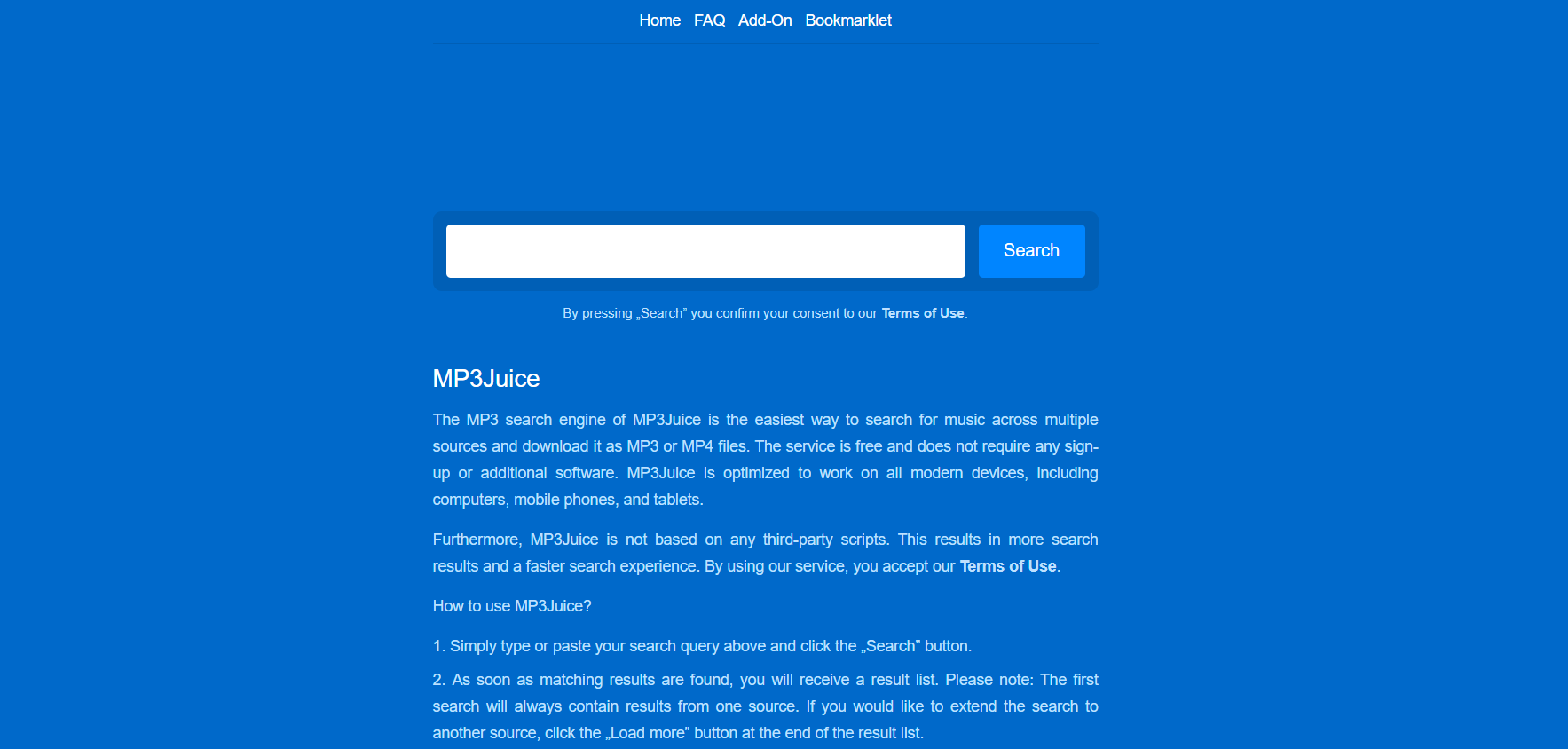
What is MP3 Juice Music Downloader?

MP3 Juice is a popular search-based engine that aggregates results from multiple video and audio hosting sites. It is widely considered the easiest entry point for beginners because it requires no software installation—you simply paste a link or type a song title to generate a download link.

The 9 Best MP3 Music Downloaders of 2026

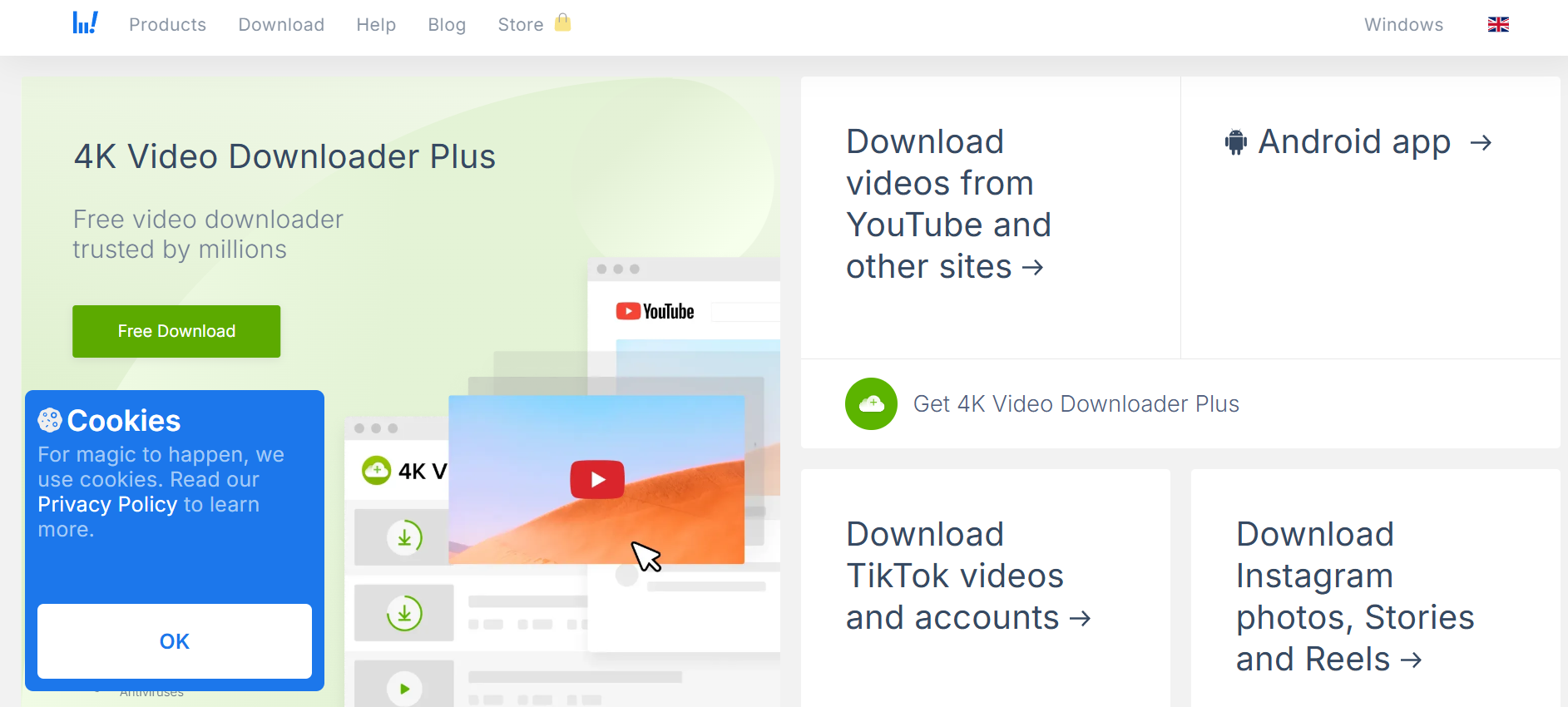
1. 4K Video Downloader+ (The Heavyweight)

4K Video Downloader

This is the gold standard for anyone looking to download massive YouTube or SoundCloud playlists. It supports “Smart Mode,” which applies your preferred quality settings to every track automatically.

  • Best for: Entire channel downloads.

  • Pro Tip: Use the “Intensity” setting to speed up downloads without triggering platform blocks.

2. MP3Juice.cc (The Quickest Web Tool)

As a classic mp3 juice music downloader, this site stays relevant by offering a “one-click” experience. It’s perfect for mobile users who don’t want to install apps.

  • Best for: Single track discovery.

  • Real-World Example: Searching for a trending TikTok sound and grabbing the full version in seconds.

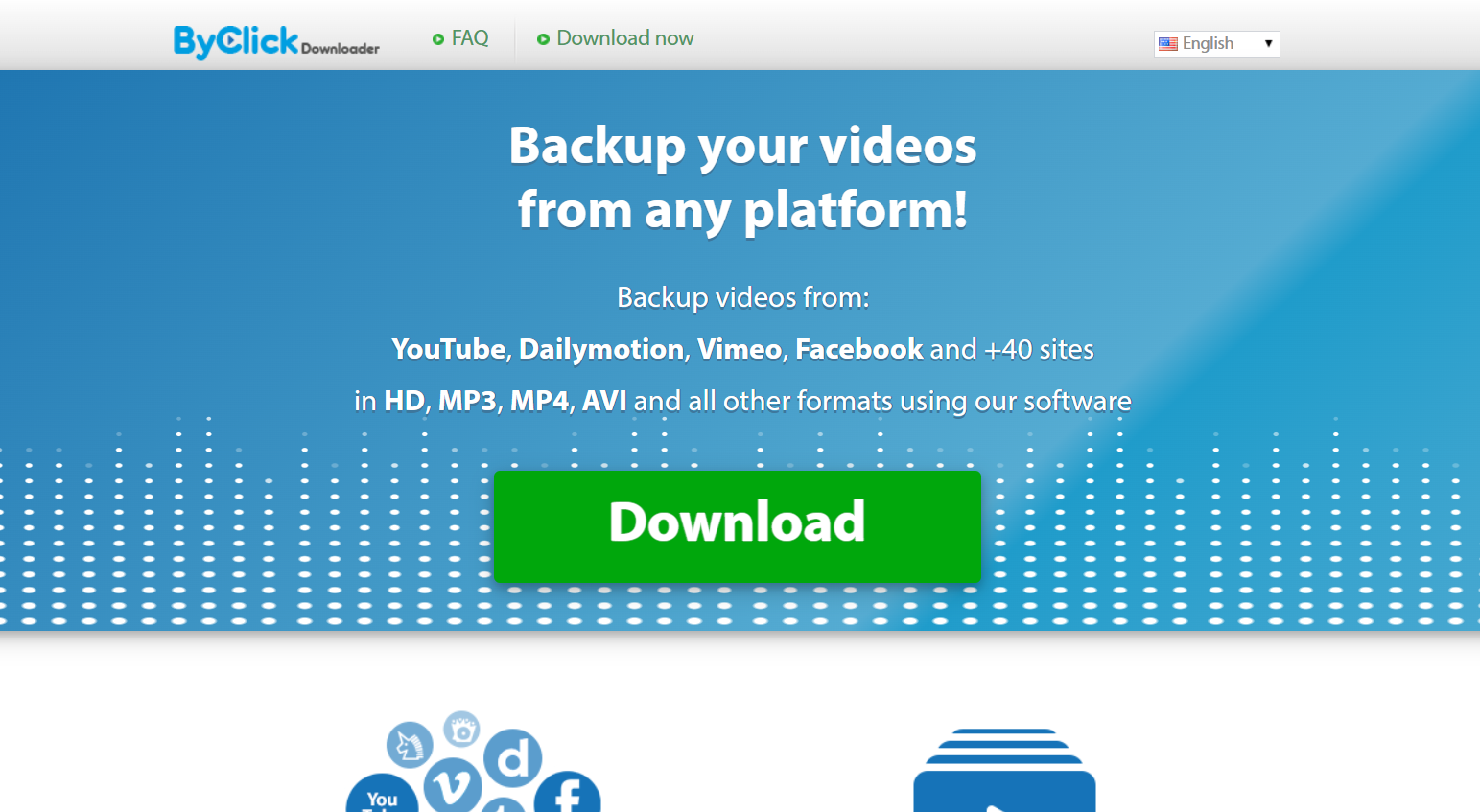
3. ByClick Downloader (The Automation King)

ByClick

ByClick is unique because it detects when you are watching a video in your browser and pops up a small button asking if you want to download it as an MP3.

  • Best for: Effortless, background downloading.

  • Key Feature: Supports high-resolution 320kbps audio.

4. SnapMusic (The Modern Mobile Choice)

Specifically designed for Android and iOS, SnapMusic focuses on a “Material Design” interface that makes organizing your offline library intuitive.

  • Best for: Smartphone users.

  • Safety Note: Always download the APK or app from the official developer site to avoid clones.

5. AnyMusic (The All-in-One Suite)

AnyMusic allows you to search across 1,000+ sites simultaneously. It includes a built-in player, so you can verify the track quality before saving it to your hard drive.

  • Best for: Discovering obscure covers or live versions.

6. Y2Mate MP3 Converter (The Reliability Leader)

Y2Mate has survived countless web iterations because of its sheer reliability. It is a no-frills free music downloader that works on every browser, including gaming consoles and smart TVs.

7. SoundClick (The Indie Artist Hub)

If you want to download music legally while supporting creators, SoundClick is the place. Many artists offer their tracks as a mp3 music download for free to gain exposure.

  • Best for: Finding fresh, non-mainstream music.

8. VidJuice UniTube

This tool excels at multi-tasking. You can paste a list of 50 URLs, and UniTube will process them in parallel, significantly cutting down wait times for large archives.

9. Freemake MP3 Downloader

A household name for a decade, Freemake has updated its 2026 version to include “cloud-first” saving, allowing you to send your MP3s directly to Dropbox or Google Drive.

How to Use an MP3 Music Downloader: A Step-by-Step Framework

Follow this universal framework to ensure your downloads are high-quality and safe.

Step 1: Source Selection

Identify the URL of the song or playlist you want to convert. Platforms like YouTube, Vimeo, and SoundCloud are the most common sources.

Step 2: Tool Configuration

Open your chosen mp3 music downloader. If using a desktop app, go to “Preferences” and select 320kbps as the output format. This ensures the best sound quality.

Step 3: The “Paste & Analyze” Phase

Paste the link into the search bar. The tool will “parse” the video to find the audio stream. This usually takes 3–10 seconds.

Step 4: Metadata Check

Before hitting download, check if the tool allows you to edit the “ID3 Tags.” Adding the correct artist and album name now will save you hours of organization later.

Step 5: Final Execution

Click “Download” or “Convert.” Once finished, move the file into your dedicated music folder.

Comparison: Online vs. Desktop Downloaders

Feature Online (e.g., MP3 Juice) Desktop (e.g., 4K Downloader)
Installation None required Required
Batch Downloading Rarely supported High Performance
Audio Quality Up to 192kbps Up to 320kbps/Lossless
Privacy Lower (Ads/Cookies) Higher (No tracking)
Speed Dependent on server Dependent on CPU/Internet

Common Mistakes Beginners Make

  1. Ignoring Bitrate: Downloading at 128kbps or lower will result in “tinny” sound. Always aim for 320kbps.
  2. Clicking Fake “Download” Buttons: Many free sites use “Malvertising.” The real download button is usually plain and matches the site’s UI.
  3. Overloading the Queue: Adding 100+ songs at once on a web-based tool often causes the browser to crash. Use desktop software for large playlists.
  4. Neglecting Legal Rights: Only download music for personal use or tracks that fall under Creative Commons licenses.

Pro Tips for Power Users

  • Use a VPN: Some mp3 music downloader sites are geo-blocked. A VPN allows you to access faster servers in different regions.

  • Keyboard Shortcuts: In desktop apps, use Ctrl+V to quickly paste links without clicking.

  • Organize by Folders: Set your downloader to create a new folder for every playlist automatically.

  • Verify File Sizes: A standard 320kbps MP3 for a 4-minute song should be roughly 8-10MB. If it’s 2MB, the quality is poor.

Key Takeaways

  • Quality Matters: Always select 320kbps for a professional listening experience.

  • Batching is Better: Use desktop software like 4K Downloader or ByClick for full playlists.

  • Speed & Ease: MP3 Juice remains the best “on-the-go” solution for single tracks.

  • Safety First: Avoid sites with excessive pop-ups and always keep your antivirus active.

Find More: Boost Your Sales With SEO Services

FAQs

1. Is using a free music downloader legal?

Downloading copyrighted music without permission is generally against the terms of service of most platforms and may violate copyright laws. However, downloading royalty-free music or your own uploaded content is perfectly legal. Always check the licensing of the track.

2. Why do some MP3s sound worse than others?

This is due to the bitrate. A higher bitrate (320kbps) contains more data and sounds better. Lower bitrates (128kbps) compress the audio too much, removing the “depth” of the sound.

3. Can I download music directly to my iPhone?

Yes, but it’s trickier than on Android. You usually need to use a web-based downloader like MP3 Juice and save the file to the “Files” app, or sync via a computer.

4. What is the best mp3 music downloader for high-quality audio?

For the highest quality, desktop applications like 4K Video Downloader+ or AnyMusic are superior because they can extract the original audio stream without re-compressing it.

5. Do I need an account to use MP3 Juice?

No. One of the main benefits of the mp3 juice music downloader is that it is an anonymous service. You do not need to provide an email or create a password to download music.

Tags:

7 Professional Music Downloaders to Get 320kbps Audio Instantly

7 Professional Music Downloaders to Get 320kbps Audio Instantly

Finding a reliable music downloader that delivers high-fidelity 320kbps audio without malware or endless ads is a challenge in 2026. This guide cuts through the noise to provide the safest, fastest, and most professional tools available for building your high-quality offline library.

A professional music downloader is a software or web-based tool that allows users to save audio files—typically in MP3 or FLAC formats—directly to a local device at 320kbps bitrates. To get audio instantly, use verified tools like 4K Download, Seal, or specialized browser extensions that bypass conversion delays while maintaining original studio quality.

Find More: 7 Powerful X Downloaders You Can Use Right Now (No Login Needed)

Understanding Music Downloader Technology

Before diving into the tools, it is essential to understand what makes a downloader “professional.” In the current digital landscape, audio quality is measured by bitrate.

What is 320kbps?

Bitrate refers to the amount of data processed per unit of time. A 320kbps (kilobits per second) MP3 file is considered the “gold standard” for compressed audio. It offers a rich, deep sound profile that is virtually indistinguishable from a CD to the human ear.

What is an MP3 Music Downloader?

An mp3 music downloader is a specific type of software designed to extract audio streams and encode them into the MP3 format. Professional versions ensure that the “container” (the file) actually holds high-quality data rather than just upscaling a low-quality 128kbps stream.

The 7 Best Professional Music Downloaders of 2026

These tools have been selected based on their speed, safety protocols, and ability to fetch metadata (album art and artist names) automatically.

1. 4K Video Downloader+ (Desktop Powerhouse)

4K Video Downloader

Widely considered the industry leader, this tool is more than just a video utility. It allows for direct extraction of audio from various high-end streaming platforms.

  • Key Feature: “Smart Mode” for one-click downloads using pre-set quality mirrors.

  • Best For: Bulk downloading entire playlists or artist discographies.

  • Pro Tip: Enable the “Native Bitrate” setting to ensure you aren’t compressing a file that is already available in high-def.

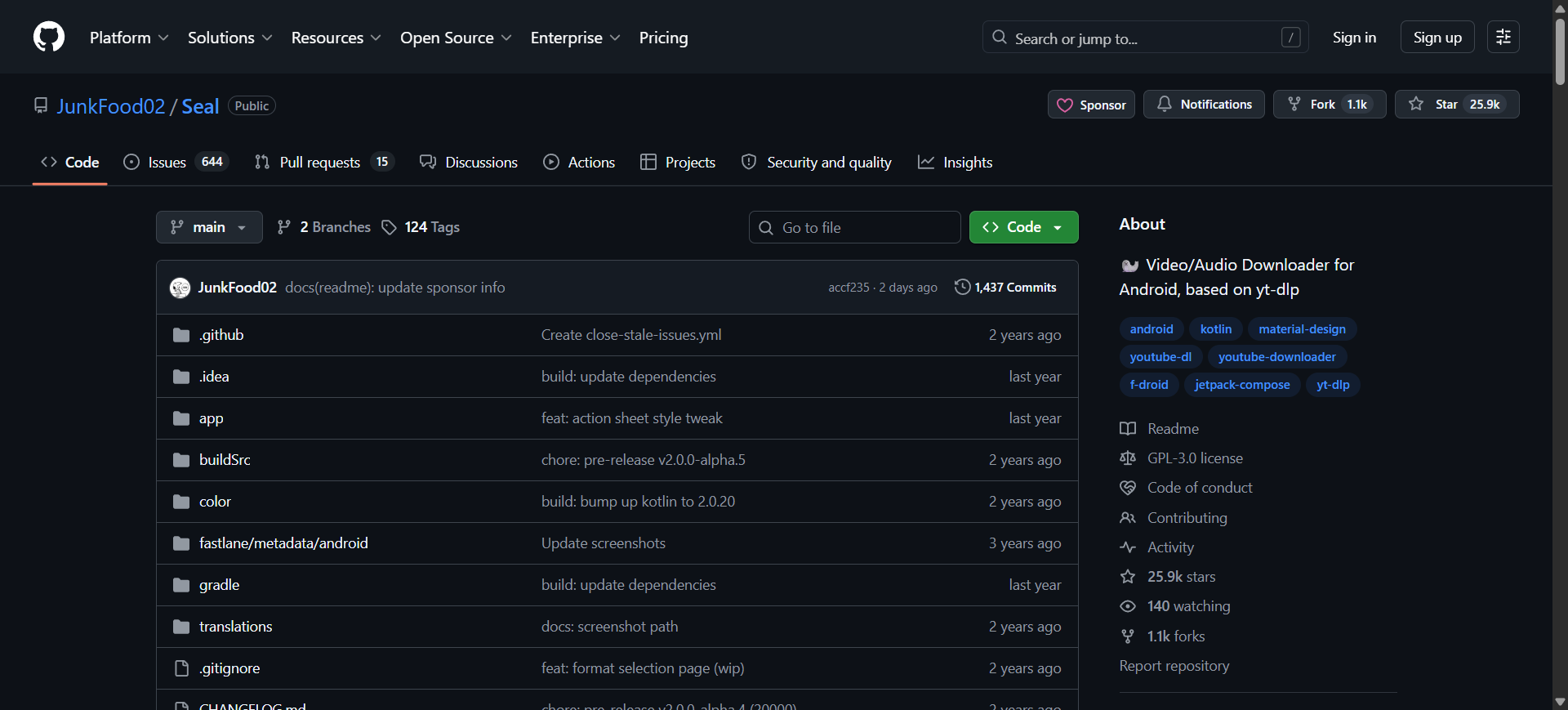
2. Seal (The Open-Source Mobile Choice)

For Android users, Seal is a modern, privacy-focused app based on the powerful yt-dlp engine. It is clean, ad-free, and incredibly fast.

  • Key Feature: Material You interface that fits modern smartphone aesthetics.

  • Best For: Mobile users who need a free music downloads solution without the risk of “bloatware.”

3. ByClick Downloader (The Versatile All-In-One)

ByClick

ByClick is famous for its “Auto-Detect” popup. When you listen to a song in your browser, it subtly asks if you’d like to download it as a 320kbps MP3.

  • Key Feature: Supports high-resolution downloads from Instagram, YouTube, and Facebook.

  • Best For: Users who want a seamless “see it, want it, get it” workflow.

4. MediaHuman YouTube to MP3 (Precision Audio)

If you only care about audio and want zero video features cluttering your screen, this is the specialized youtube music downloader you need.

  • Key Feature: Includes a tag editor to fix artist names and album titles before saving.

  • Best For: Audiophiles who keep a meticulously organized local folder.

5. SoundTap Stream Recorder (The “Unblockable” Method)

Unlike standard downloaders that “fetch” files, SoundTap records the digital audio signal directly from your sound card.

  • Key Feature: If you can hear it through your speakers, you can record it in perfect digital quality.

  • Best For: Capturing audio from platforms that have strict anti-downloading scripts.

6. SoulSeek (The Community Classic)

While technically a file-sharing network, SoulSeek remains the premier professional source for rare, high-bitrate tracks and FLAC files that aren’t available on mainstream platforms.

  • Key Feature: Peer-to-peer access to rare indie and underground records.

  • Best For: Collectors looking for obscure tracks and high-fidelity lossless audio.

7. Loader.to (The Premium Web-Based Tool)

For those who refuse to install software, Loader.to is the only web-based music downloader that consistently delivers on the 320kbps promise without redirecting users to dangerous sites.

  • Key Feature: Cloud-based conversion that doesn’t use your CPU power.

  • Best For: Quick, one-off downloads on public computers or Chromebooks.

Step-by-Step Framework: How to Download High-Quality Audio

Follow this universal 4-step framework to ensure you get the best possible result every time you use a music downloader.

Step 1: Source Verification

Locate the URL of the track you wish to save. Ensure the source video or stream is set to the highest possible playback quality (e.g., 1080p or 4K), as this often correlates with the highest available audio stream.

Step 2: Configuration

Open your chosen downloader and navigate to “Settings” or “Preferences.” Manually select “MP3” as the format and “320kbps” as the bitrate. Do not leave it on “Best Effort,” as this may default to 128kbps to save bandwidth.

Step 3: Extraction

Paste the URL and hit “Download” or “Convert.” If using a desktop tool, observe the file size. A 3-minute song at 320kbps should be roughly 7–10MB. If it is only 2MB, the quality is low.

Step 4: Tagging and Storage

Once the download is complete, use the software’s built-in tagger to add the album art. Move the file to a dedicated “Music” folder synced with your preferred media player.

Comparison Table: Top Music Downloaders at a Glance

Tool Platform Max Bitrate Best Feature Price
4K Downloader PC/Mac 320kbps / Lossless Playlist Downloads Freemium
Seal Android 320kbps No Ads / Privacy Free
MediaHuman PC/Mac 320kbps Auto-Tagging Free
Loader.to Web 320kbps No Installation Free
ByClick Windows 320kbps One-Click Popups Paid/Trial

Common Mistakes to Avoid

  • Trusting “Bitrate Changers”: Avoid sites that claim they can “turn your 128kbps file into 320kbps.” You cannot add data that wasn’t there to begin with; this only makes the file larger without improving the sound.

  • Ignoring Metadata: Downloading 100 songs named “Track 01” will lead to a disorganized mess. Always use tools that support ID3 tagging.

  • Clicking “Allow Notifications”: Many web-based free music downloads sites ask for notification permissions to send you spam. Always hit “Block.”

  • Using Outdated Software: Professional tools update weekly to bypass platform changes. If your downloader stops working, check for an update immediately.

Pro Tips for the Best Audio Experience

  • Check the Waveform: If you are serious about quality, open your downloaded file in a free tool like Audacity. If the waveform is “clipped” (flat at the top), the audio is distorted.

  • Use FLAC for Archives: If a music downloader offers FLAC (Free Lossless Audio Codec), use it for your favorite albums. It’s a larger file, but it is a perfect 1:1 copy of the source.

  • Batch Processing: Use the “Paste Link” feature on desktop apps to queue up to 100 links at once and let them run overnight.

Key Takeaways

  • 320kbps is the standard for high-quality MP3 files.

  • Desktop tools (like 4K Downloader) are generally safer and faster than web-based converters.

  • Seal is the top choice for mobile users who want an ad-free experience.

  • Always verify file size to ensure you are actually getting the high quality you requested.

  • Avoid web spam by never allowing browser notifications on downloader sites.

Find More: Boost Your Sales With SEO Services

FAQs

1. Is using a music downloader legal?

Downloading copyrighted music without permission is a violation of most platforms’ Terms of Service. However, many artists release music under Creative Commons, and these tools are perfectly legal for downloading your own uploaded content or royalty-free tracks.

2. Why do some 320kbps files sound bad?

This usually happens because the original source was low quality. A music downloader can only capture the quality of the source. If the original video was recorded with a poor microphone, the MP3 will still sound poor regardless of the bitrate.

3. Can I download music directly to my iPhone?

iOS is more restrictive than Android. To save music to an iPhone, it is best to use a desktop mp3 music downloader and then sync the files via the Apple Devices app or a cloud service like iCloud or Dropbox.

4. What is the difference between MP3 and AAC?

AAC is generally more efficient than MP3. An AAC file at 256kbps often sounds as good as an MP3 at 320kbps. Most professional downloaders give you the option to choose between the two.

5. Do I need an antivirus for downloading music?

Yes. While the tools listed here are professional and vetted, the “free music” space is targeted by hackers. Always have an active antivirus and avoid clicking on “Download” buttons that look like flashy advertisements.

Tags: